
I love wordpress as I can concentrate on writing …writing..writing and sleeping 🙂
Of course static HTML files still the best for me and I’d love to use any solution for my blog that will make the load faster and comparable to static files as HTML did.
As WordPress come with support of thousand plugin I decide to use one plugin that use by big player outside.
Yes, I’ll deploy W3 Total Cache for hostingformula.net as I aware I use shared hosting at bluehost.
Install W3 Total Cache
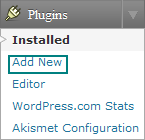
Login to wordpress admin panel and click ‘Add New‘ sub menu under plugins,
Type “W3 Total Cache’ in search box and hit search button.
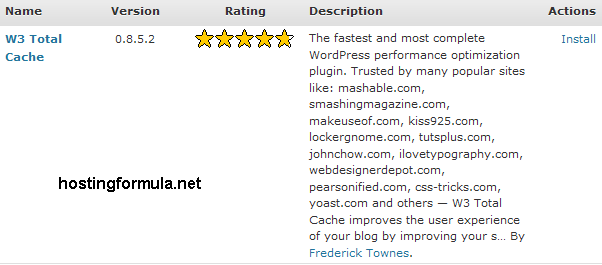
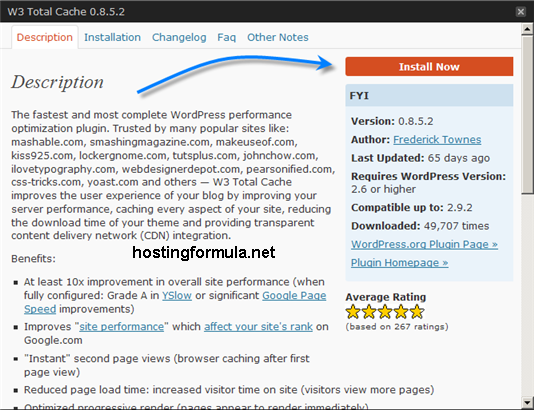
Click Install Now
Acivate W3 Total Cache plugin by choose ‘Activate Plugin‘ in actions choice.
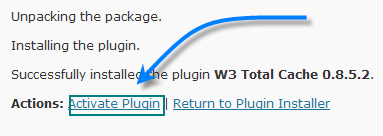
Plugin W3 Total Cache activated.

Setting option for W3 Total Cache available from Settings menu.

I’ll monitor the use of this plugin as I have tools available from bluehost called ‘cpu throttler’.
See you next time and stay health!
Pingback: CPU Throttle and Cache | Hosting Formula | Free Wordpress Installation Service