Install wordpress for home development : configure axigen email server part 2

Email server set and ready to work but I forgot to make it work for me :-)
Yes, I forgot to add user for testing this email server. In this post I’ll continue with step by step guide add new user on existing email server (Axigen email server) :

Make sure the service run

Login to webadmin using address provided in previous post.

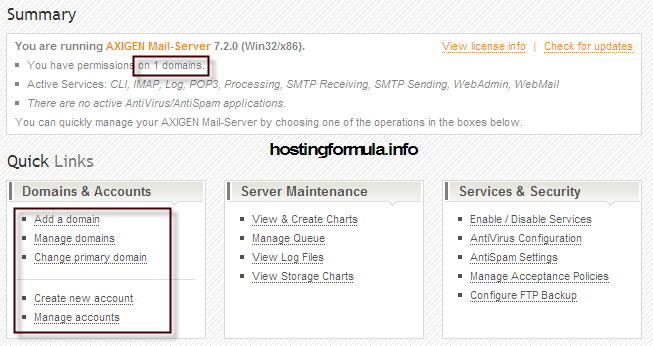
Pay attention to Summary page. Important information are :

configure axigen  	Install wordpress for home development : configure axigen email server part 2

Add new mailbox

Click Create new account -> Add Account
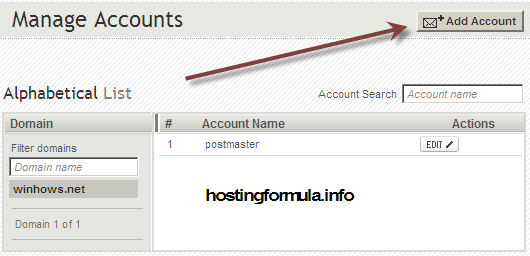
configure axigen2  	Install wordpress for home development : configure axigen email server part 2

Domain will automatically filled with winhows.net.

Fill first name, last name, username and password.

Hit button ‘Quick Add‘ when you’re done.
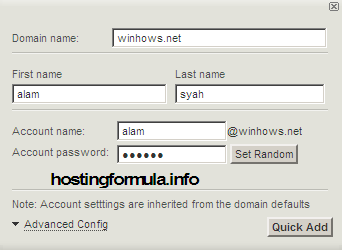
configure axigen3  	Install wordpress for home development : configure axigen email server part 2

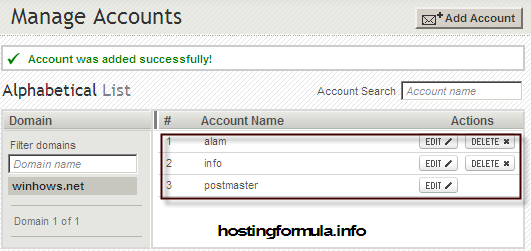
I add two account : alam and info.

configure axigen4  	Install wordpress for home development : configure axigen email server part 2

Testing send email

Login to webmail ( my address change to http://192.168.12.104:8081)

Enter name@domain in username field and password I type before.

Click Login button.
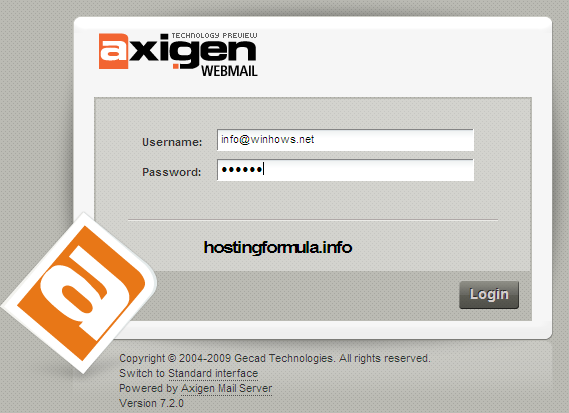
configure axigen5  	Install wordpress for home development : configure axigen email server part 2

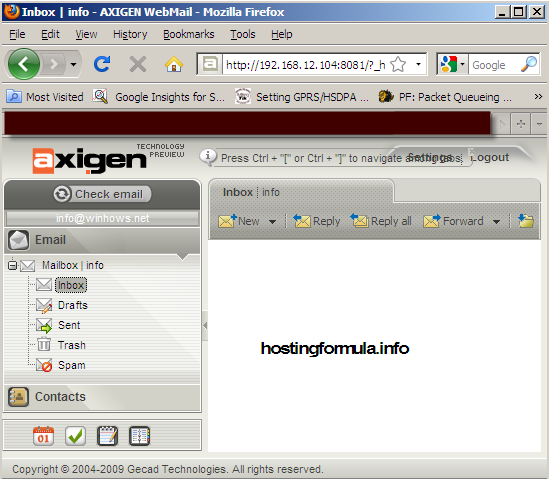
User info@winhows.net successfully login.

configure axigen6  	Install wordpress for home development : configure axigen email server part 2

Click New message button to start compose email.

Click Send button to send the email.
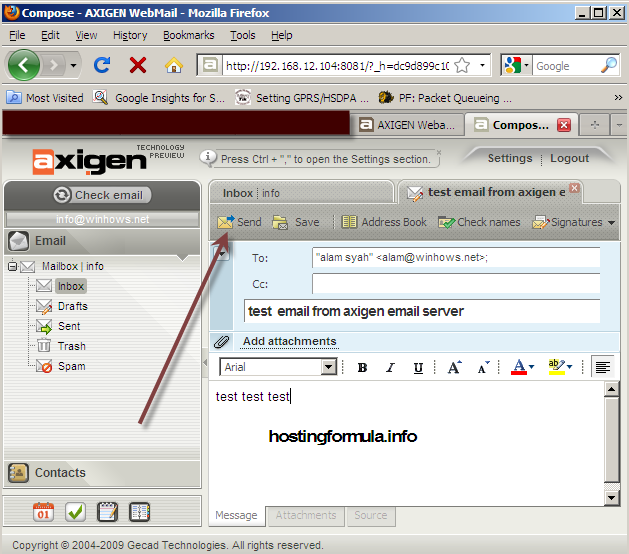
configure axigen7  	Install wordpress for home development : configure axigen email server part 2

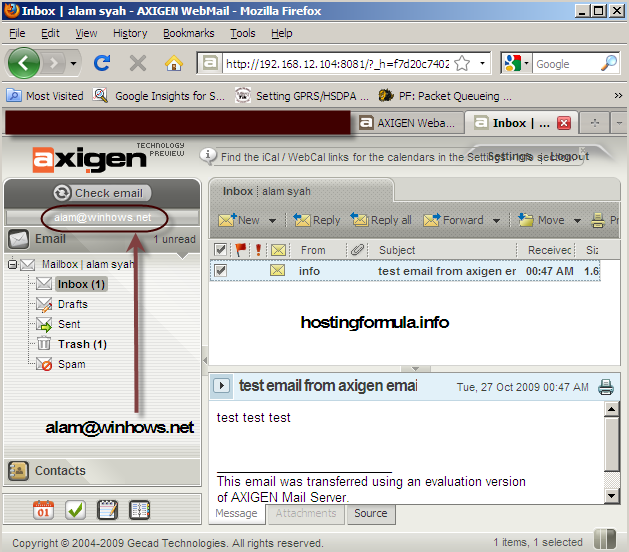
Login to other mailbox (alam@winhows.net) and check message sent by user info@winhows.net.

axigen config10  	Install wordpress for home development : configure axigen email server part 2

Great, the system really works. You’re ready to continue as you have complete development tools for home environment.

Totally offline.

Yahoo!!!

Related Reading:

Using DrupalUsing Drupal

With the recipes in this book, you can take full advantage of the vast collection of community-contributed modules that make the Drupal web framewo... Read More >

Drupal For DummiesDrupal For Dummies

Learn to set up, manage, and administer a Drupal Web site

Drupal offers unparalleled flexibility for content-managed Web sites, but most ... Read More >

Pro Drupal Development, Second EditionPro Drupal Development, Second Edition

Widely praised for its in–depth coverage of Drupal internals, bestselling Pro Drupal Development has been completely updated for Drupal 6 in thi... Read More >

Front End Drupal: Designing, Theming, ScriptingFront End Drupal: Designing, Theming, Scripting

“For Drupal to succeed, we need books like this.”

–Dries Buytaert, Drupal founder and project... Read More >

Cracking Drupal: A Drop in the BucketCracking Drupal: A Drop in the BucketThe first book to reveal the vulnerabilities and security issues that exist in the sites that have been built with Drupal?and how to prevent them from... Read More >

Thanks for reading, if you think this post help you please consider to buy me a beer

Search Terms :

  • name email url comment powered by wordpress message website mail
  • configurare axigen
  • axigen cannot connect to cli
  • how to install wordpress at home for development testing
  • how to setup axigen mail server in a domain
  • http://192 168 12 104/
  • install uniserver wordpress
  • install wordpress permission in kloxo
  • send mail axigen
  • setup localhost email development
  • uniserver wordpress development environment
  • where to setup mail server in wordpress
  • wordpress Mail Server Url
  • how to configure smtp axigen mail
  • create-account py axigen password
  • configuring SMTP on xampp for wordpress to send mails feedback automatically
  • axigen config
  • Axigen how send email
  • axigen install
  • Axigen sending mail problem
    • Share/Bookmark
    Step By Step, wordpress online store

    If you enjoyed this post, please consider to leave a comment or subscribe to the feed and get future articles delivered to your feed reader.

    Comments

    2 Responses to “Install wordpress for home development : configure axigen email server part 2”

    Leave Comment

    (required)

    (required)